The Situation: Sudden App Bans
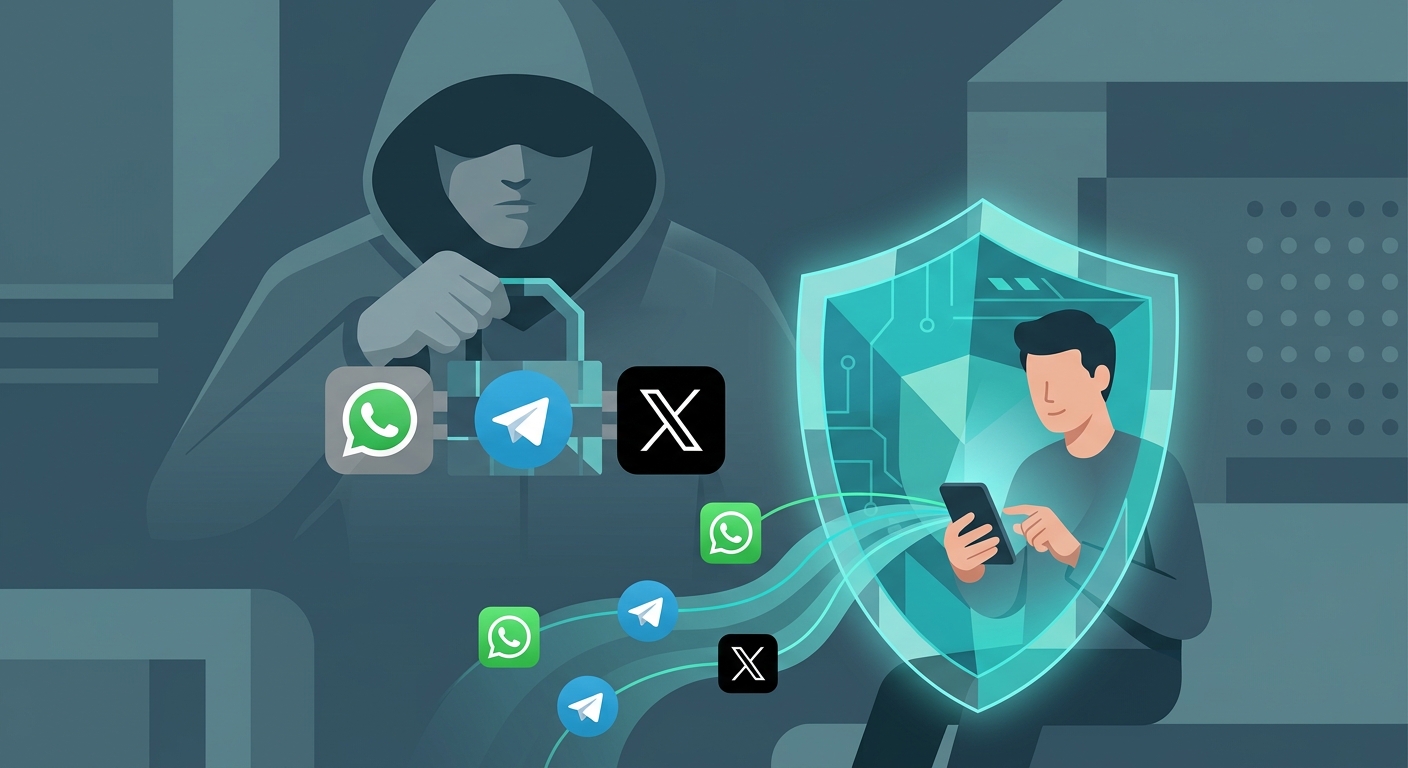
You wake up, try to send a message on WhatsApp, check a Telegram channel, or scroll through X, but nothing loads. Millions face this scenario when regional authorities or telecom providers suddenly restrict access to major communication networks.
These bans usually happen without warning. They often affect entire countries or regions, isolating citizens from global news and personal contacts.
Note on Connectivity
In severe cases, authorities may throttle or shut down all internet access. A VPN can only bypass app-specific or site-specific blocks if you still have a baseline connection.
Why It Happens: Understanding the Block
Bans on communication apps don't happen by accident. They are intentional restrictions enforced at the network level.
Common Reasons for Bans
- Government censorship during protests or elections.
- Controlling the flow of unfiltered news and information.
- State-owned telecoms protecting revenue against free VoIP apps.
- Broad mandates to restrict foreign social media influence.
How Firewalls Enforce Bans
Local Internet Service Providers (ISPs) and telecom networks enforce these blocks using techniques like Deep Packet Inspection (DPI) and DNS filtering. Simply put, the network scans your web traffic to identify requests headed for WhatsApp, Telegram, or X servers—and automatically drops them.
What to Do: The VPN Solution
To regain access, you need to change how your traffic appears to your ISP and route it around the firewall.
How a VPN Restores Access
- Encrypts your traffic so local ISPs cannot see which apps you use.
- Masks your IP address, making it appear as though you are connecting from another region.
- Bypasses DNS blocks and firewall restrictions.
- Restores full access to messaging and social platforms.
Choosing the Right App
To bypass strict blocks, you need a VPN with strong encryption and reliable servers. If you use Apple devices, Free VPN US offers a streamlined, secure experience built specifically for iPhone, iPad, and Mac.
Even better, our app explicitly provides a dedicated Services List built right into the interface so you can use these platforms without any hindrance. You don't have to guess which server to use—simply select the specific social media or messaging app you want to unblock (like WhatsApp, Telegram, X, Facebook, or Instagram), and the app will automatically route your connection through the optimal, unrestricted server for that service. The optimized server for each chosen service updates on its own, and you can easily switch the target region whenever you need to.
VPN vs. Changing DNS
| Method | Effectiveness against Firewalls | Security |
|---|---|---|
| Free VPN US | High (Bypasses IP/DNS blocks and DPI) | High (Full encryption) |
| Changing DNS Only | Low (Fails against IP blocking and DPI) | Low (Traffic is still unencrypted) |
| Web Proxies | Medium (Often blocked, works only in browser) | Low (No system-wide encryption) |
| Tor Browser | High | High, but too slow for VoIP or rich media |
Common Questions During a Ban
When a ban hits, confusion often follows. Here are answers to immediate concerns.
Will my messages be delayed?
With a fast VPN, WhatsApp and Telegram messages will send instantly. However, if the local network is heavily congested or throttled, minor delays may occur.
Can they tell I'm using a VPN?
Your ISP can see that you are connected to a VPN, but they cannot decrypt your traffic to see that you are using WhatsApp or X.
Does Free VPN US work on my laptop?
Yes, Free VPN US is built for macOS and iOS, offering the same strong bypass capabilities across your Apple devices.
Do I need to pay immediately?
No. You can use Free VPN US by simply watching ads to earn connection time. If you prefer an uninterrupted experience, you can start a free trial of the premium ad-free tier.
The Main Takeaway
Don't wait for a ban. Install a reliable VPN on your devices in advance so you are never cut off from your contacts or the news.
Step-by-Step: Bypassing the Ban
- Download the App. Install Free VPN US on your iPhone, iPad, or Mac.
- Choose a Server. Select a server location in a country where WhatsApp, Telegram, and X are not restricted.
- Connect. Tap the connect button. Your traffic is now encrypted and rerouted.
- Open Your Apps. Launch WhatsApp, Telegram, or X. They should now function normally.
It takes less than a minute to restore your access to the open internet.
Frequently Asked Questions
Why are WhatsApp, Telegram, and X blocked in some countries?
Governments and telecom companies block these apps to control information flow or protect local telecom revenues from free voice calling.
Is it safe to use a VPN to unblock social apps?
Yes. A reliable VPN encrypts your traffic, making it extremely difficult for ISPs or firewalls to see what apps you are using.
Can I use Free VPN US on Android or Windows?
Currently, Free VPN US is optimized exclusively for iOS (iPhone/iPad) and Mac.
Is Free VPN US really free?
Yes. You can use it for free by watching ads for connection time, or you can start a free trial of our premium ad-free tier.
More Details on App Bans
Explore more technical details regarding internet censorship.
Related Reading

Unblock Your Apps Now
Don't let firewalls silence your voice. Download Free VPN US and regain access to WhatsApp, Telegram, and X today.
- Free ad-supported time
- Fast iOS and Mac apps
- Strong encryption