

Why Location History Is Valuable to Data Brokers
Location history is one of the most revealing categories of personal data. It can expose where you sleep, work, study, shop, worship, receive medical care, meet friends, and travel. A single location ping may look harmless; months of pings can become a detailed map of your life.
Data brokers build profiles by combining app location data, advertising IDs, public records, IP-based location, purchase records, people-search pages, and analytics data. Those profiles may be sold to advertisers, background-check services, political campaigns, risk scoring firms, or other brokers. For readers searching “data brokers selling location history,” “how to opt out of location tracking,” or “remove location data from brokers,” the key is reducing both old listings and new collection.
Opt-outs help, but they are not enough by themselves. If apps continue collecting precise location, if ad IDs remain active, or if websites keep tying your IP address to your activity, new location signals can keep flowing back into the data economy.
Opt-outs reduce exposure, but prevention matters more
Broker removal requests are useful, especially under state privacy laws, but the strongest privacy improvement comes from reducing what apps, websites, and networks can collect going forward.
How to Find Where Your Location Data Is Leaking
Start on your phone. On iPhone, review Location Services and look for apps with Always access or Precise Location enabled. Many apps only need approximate location, and some do not need location at all. Weather, maps, delivery, rideshare, and camera apps deserve extra scrutiny because they commonly request detailed access.
Next, check ad and analytics settings. Limit cross-app tracking, reset advertising identifiers when available, and remove unused apps that still have permissions. If you use the same email and phone number across shopping, travel, loyalty, and social apps, brokers may have more ways to connect your location traces to your identity.
Finally, search major people-search and data-broker sites for your name, city, phone number, and address. Keep a spreadsheet or notes file with opt-out links, submission dates, confirmation emails, and follow-up dates because some removals take weeks and profiles can reappear.
Practical checks to run
- Review iPhone Location Services and disable Always access where possible.
- Turn off Precise Location for apps that only need city-level data.
- Limit cross-app tracking and reset advertising identifiers.
- Remove unused apps with location or Bluetooth permissions.
- Submit opt-out requests to people-search and broker sites that list your profile.
What these checks cannot prove
These checks narrow the problem, but they do not reveal every backend rule, account control, device-management setting, or legal restriction. Use them to avoid unsafe assumptions and pick the safest next step.
How Free VPN US Reduces IP-Based Location Tracking
Free VPN US cannot erase GPS records or delete a broker database, but it can reduce IP-based location signals while you browse. Websites, ad networks, and Wi-Fi operators can infer an approximate location from your IP address. A VPN changes the network address websites see, reducing one more signal that can be attached to your profile.
This is especially useful while traveling or using public Wi-Fi. Hotels, airports, cafes, and event networks may collect connection metadata or use captive portals that tie activity to an email, room number, or device. Free VPN US encrypts the traffic path after connection so local network operators see less of what you do.
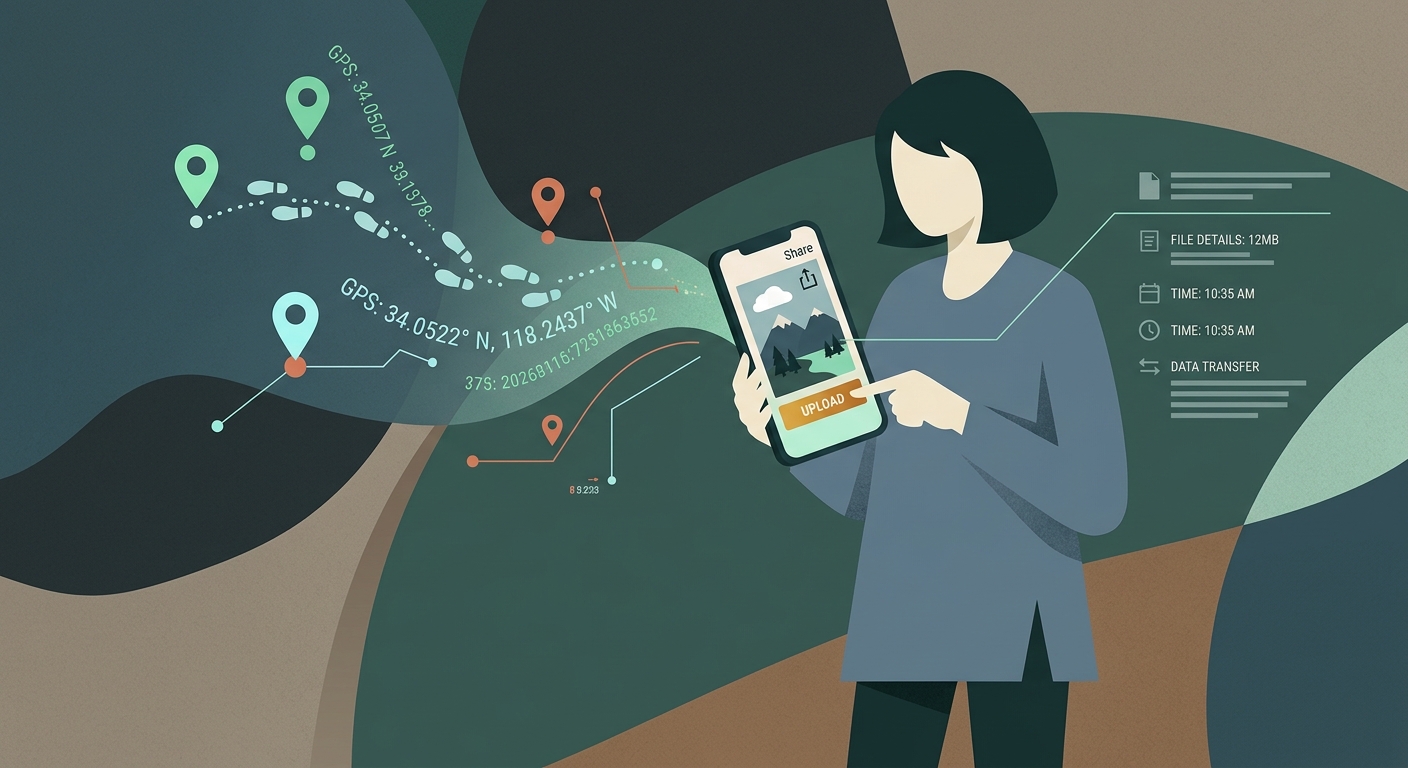
For best results, combine VPN use with permission hygiene. Turn off unnecessary app location, strip GPS metadata from photos, avoid oversharing real-time location on social platforms, and use broker opt-outs regularly.
What Free VPN US is best at
- Encrypting traffic on public, shared, or unfamiliar Wi-Fi.
- Reducing local network visibility into browsing and DNS activity.
- Adding a practical privacy layer for iPhone and Mac users.
- Helping with legitimate access issues where VPN use is allowed.
What still needs your attention
Free VPN US does not replace account security, careful link checking, app-permission hygiene, or local law. For the best result, combine the VPN with official apps, strong passwords, updated devices, and privacy-aware browsing habits.
Location Data Signals and Privacy Fixes
| Signal | What it may mean | Best next step |
|---|---|---|
| Precise app GPS | An app can collect exact movement history. | Set access to While Using or disable Precise Location. |
| Photo metadata | Shared photos may include GPS coordinates. | Remove location metadata before posting or sending. |
| Broker profile | Your name, address, phone, and location patterns may be listed. | Submit opt-outs and repeat checks quarterly. |
| IP-based location | Websites infer your area from your network. | Use Free VPN US on public or unfamiliar networks. |
Long-Term Location Privacy Habits
Use these habits to make the guide useful beyond a one-time fix. They improve privacy, reduce account risk, and help readers avoid common traps around blocked websites, phishing pages, location tracking, public Wi-Fi, and private browsing myths.
Use location only when the feature needs it
A flashlight, calculator, game, or coupon app usually does not need precise location. If the value is unclear, deny access.
Avoid real-time oversharing
Posting from airports, hotels, schools, gyms, or clinics can create a public location trail. Delay posts when privacy matters.
Separate shopping and personal identities
Use email aliases and avoid putting the same phone number into every loyalty, delivery, and travel app.
Repeat opt-outs
Broker profiles can return when a new source refreshes data. Schedule a quarterly check for your name, address, and phone number.
Location privacy is won at the source
Removing broker profiles helps, but blocking unnecessary collection prevents the next profile from being rebuilt.
Step-by-Step Location Data Cleanup Plan
- Audit app permissions. Remove precise, always-on, and background location access wherever it is not essential.
- Clean public profiles. Submit broker opt-outs and remove exposed addresses or phone numbers from people-search sites.
- Reduce network location signals. Use Free VPN US when browsing on shared networks or while traveling.
- Recheck regularly. Review permissions and broker listings every few months, especially after installing new apps.
This plan keeps the article focused on safe, legitimate privacy improvements. It also gives search visitors a clear path from diagnosis to action without sending them toward risky shortcuts.
Frequently Asked Questions
Can data brokers legally sell location history?
Rules vary by jurisdiction and data type. Some data is sold through consent buried in app terms, while privacy laws may give you opt-out or deletion rights.
Does turning off Location Services stop all tracking?
It stops many GPS-based signals, but websites can still infer rough location from IP address, account data, Wi-Fi, and browser information.
Can a VPN remove my data from brokers?
No. A VPN reduces network-based location signals going forward, but broker deletion requires opt-out or privacy-rights requests.
How often should I check broker listings?
Check every few months. Profiles can reappear after new data imports, address changes, app installs, or public-record updates.
Still Have Questions?
These quick answers cover common follow-up situations after using the guide.
Related Reading

Protect Your Connection With Free VPN US
Free VPN US helps encrypt browsing on iPhone and Mac so shared networks, hotspots, and local Wi-Fi operators see less of your activity.
- Encrypted public Wi-Fi
- iPhone and Mac support
- No-cost VPN option