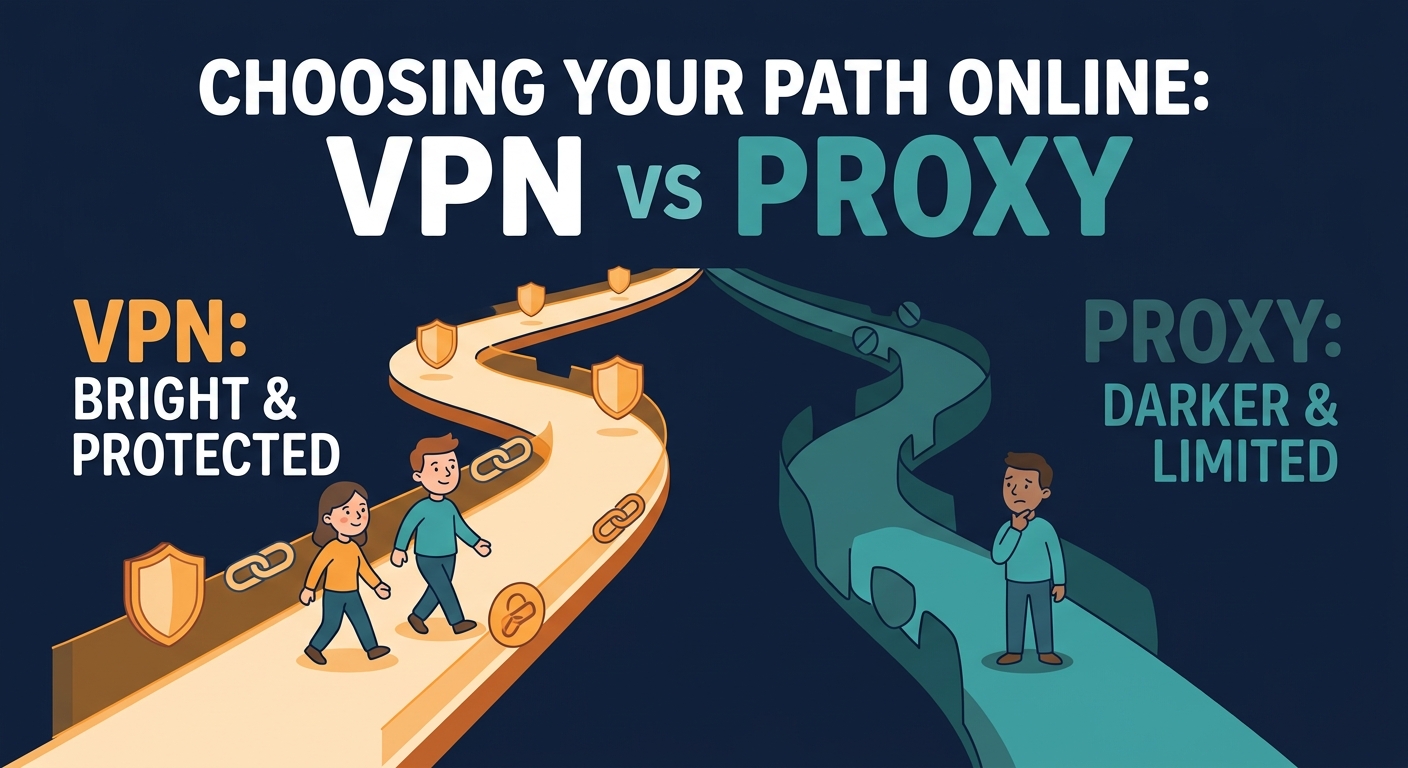
VPN vs Proxy vs Free VPN US — The Best of Both
Free VPN US is smarter than either VPN or proxy alone. It offers both modes in one app:
Free VPN US Full VPN Mode: Maximum Security
Full VPN mode in Free VPN US encrypts everything. All traffic tunneled. All data encrypted. Websites see only our VPN IP. Your ISP sees nothing but encrypted packets. Maximum privacy. Maximum security. Download Free VPN US and switch to full VPN mode when you need fortress-level protection.
Free VPN US Browser Proxy Mode: Speed When You Want It
Browser proxy mode in Free VPN US offers lightweight IP hiding without full encryption overhead. Perfect for casual browsing where speed matters more than fortress-level encryption. Download Free VPN US and switch to proxy mode for faster performance.
Free VPN US: The Smart Difference
Free VPN US offers BOTH modes. VPN mode for security. Proxy mode for speed. One app, two approaches, maximum flexibility. Download Free VPN US and choose your protection moment by moment.
Free VPN US: Multiple Connection Modes
Free VPN US goes beyond simple VPN vs proxy. Multiple modes for different needs:
- Full VPN Mode: Encrypt everything. Highest security.
- Browser Proxy Mode: Fast browsing. Lightweight IP hiding.
- Split Mode: VPN some apps, proxy others. Customize your protection.
- Smart Routing: Automatic mode selection based on your activity.
Free VPN US Includes Smart DNS
Free VPN US also includes DNS-level protection. For geolocation bypass without full encryption. For maximum speed without sacrificing IP hiding. For flexibility no other VPN offers. Download Free VPN US and access every connection option from one app.
Encryption: The Security Difference
The most important difference between VPN and proxy is encryption.
VPN Encryption Methods
Modern VPNs use multiple encryption protocols, each with different security levels and performance characteristics. OpenVPN uses 256-bit AES encryption with variable protocol overhead (1-3% slower). WireGuard uses ChaCha20 and Curve25519 for faster performance with minimal overhead. IKEv2 uses AES-GCM and is fast but can be detected more easily. All proper VPNs use cryptographic standards that are considered secure against current and near-future attacks. The encryption strength matters less than the protocol implementation—a well-implemented lighter protocol beats a poorly implemented heavy one.
VPN Encryption Flow
VPN encryption works like this: your device encrypts all outgoing data with a key that only the VPN server has. The VPN server decrypts it. Everything in between—your ISP, network administrators, websites—sees only encrypted data. They cannot read your traffic, see your passwords, or know what sites you visit. This is why VPNs protect you on public Wi-Fi: the encryption prevents snoopers from intercepting credentials. Even if someone is on the same network, they cannot see what you're doing because all data appears as random encrypted bytes.
Proxy Encryption Variations
A standard proxy does not encrypt your traffic. The connection between you and the proxy can be unencrypted (HTTP proxy) or encrypted (HTTPS proxy, SOCKS5 with encryption). But many proxies operate without encryption. If your ISP or network monitors traffic, they might see unencrypted proxy traffic. The proxy hides your IP from the destination website, but not from your ISP. HTTPS proxies encrypt the proxy connection itself, but not your traffic through the proxy—these are useful as a middle ground but still less secure than a full VPN.
Why Encryption Matters in Different Contexts
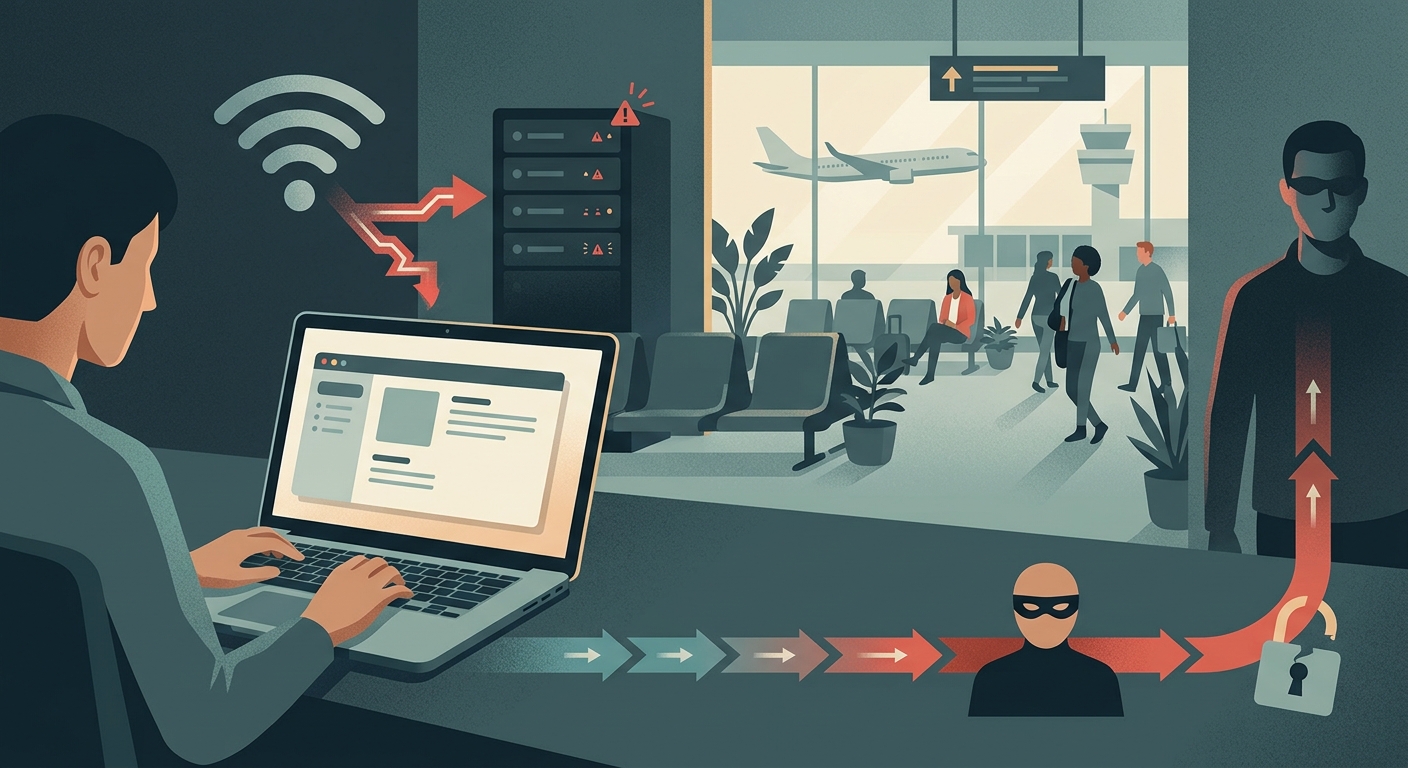
On public Wi-Fi, encryption is critical. Without it, attackers can intercept login credentials, session cookies, and sensitive data. A VPN encrypts everything, protecting passwords and data from nearby attackers. A proxy does not. On your home network with trusted Wi-Fi, encryption matters less because you're not worried about network-level snoopers. But on public networks (airport, café, hotel), encryption is essential. Even on "password-protected" public Wi-Fi, the password is known to everyone on the network, so anyone with packet sniffing tools can see unencrypted traffic.
Speed and Latency Comparison
VPN encryption has a performance cost. Proxies are faster.
Why VPNs Are Slower
VPN encryption and decryption take computational overhead. Your device encrypts every packet before sending it. The VPN server decrypts every incoming packet. This process adds latency (delay). Most users notice a small slowdown (5-30%) when using a VPN. The exact slowdown depends on the VPN protocol, the distance to the VPN server, and your device's processing power. Modern VPN protocols (WireGuard, IKEv2) are optimized to minimize this overhead, but there's always some cost. Older protocols (OpenVPN) add more overhead but may be more stable or widely compatible.
Why Proxies Are Faster
Proxies do minimal processing. They simply redirect traffic without encrypting or decrypting. This means much lower overhead and faster speeds. A proxy connection is often as fast as no proxy at all, minus network latency to the proxy server. Some proxies add filtering or inspection, which can slow them down, but basic proxies add negligible latency. This is why proxies are popular for high-speed applications like streaming or downloading.
Real-World Speed Impact
For streaming video, downloading files, or general browsing, the VPN slowdown is usually unnoticeable. Modern connections are fast enough that a 10-20% slowdown doesn't affect user experience. For competitive gaming, real-time applications, or latency-sensitive work, the difference matters. Proxies are better if you need speed. VPNs are better if you need security. A typical VPN adds 50-100ms of latency; a typical proxy adds 10-20ms. For online gaming where latency under 50ms is ideal, even a proxy might be too slow.
Bandwidth Considerations
VPNs don't inherently reduce bandwidth. Encryption adds a small overhead (typically 2-5% larger packets), but the actual data transfer is similar. Proxies add even less overhead. Both tools can theoretically use as much bandwidth as your connection allows. The difference in speed is mostly about latency, not bandwidth. Heavy video streaming uses similar bandwidth through both VPN and proxy; the VPN just takes slightly longer for each request.
The Trade-Off Reality
VPN = Security + Encryption + IP Hiding - Speed. Proxy = IP Hiding + Speed - Encryption - Security. Choose based on your priority. For privacy on untrusted networks: VPN. For bypassing simple IP blocks: proxy. For both: VPN is the safer choice despite the speed cost.
Technical Comparison Table
| Feature | VPN | Proxy |
|---|---|---|
| Encryption | Yes, full tunnel encryption | Usually no encryption |
| IP Hiding | Yes, complete IP masking | Yes, proxies your connection |
| ISP Visibility | Cannot see traffic content | Can see some traffic patterns |
| Device Coverage | All traffic (device-wide) | Browser or app-specific |
| Speed | Slower (encryption overhead) | Fast (minimal overhead) |
| Public Wi-Fi Safety | Excellent (full encryption) | Poor (no encryption) |
| IP-Based Blocking | Bypasses IP blocks | Bypasses IP blocks |
| Setup Complexity | Simple (one app) | Browser or app configuration |
| Cost | Free or paid options | Free or paid options |
| Mobile Support | Excellent (iOS, Android, Mac) | Limited (browser extensions only) |
| Email/Mail Protection | Yes (all apps covered) | No (web traffic only for proxies) |
| DNS Leak Prevention | Yes (handles DNS queries) | Requires additional setup |
When to Use VPN vs Proxy
The right choice depends on your specific need.
Use a VPN When:
- You're on public Wi-Fi (airport, café, hotel) and need encryption
- You want to prevent your ISP from tracking your browsing
- You need device-wide protection for all apps and traffic
- You want to hide your IP from websites and ISP
- You're in a country with government surveillance
- You need to bypass a firewall that blocks VPN protocols
- You're using public Wi-Fi for sensitive transactions (banking, email)
- You want protection for non-web applications (mail clients, messaging apps)
Use a Proxy When:
- You need to bypass a simple IP-based block quickly
- Speed is critical and encryption is not needed
- You only need to mask your IP for specific apps or browser
- You're in a network where VPN protocols are blocked but proxies are allowed
- You want to hide your location from a specific website
- You need lightweight protection without encryption overhead
- You want to test unblocking without committing to a full VPN
- You need different IPs for different apps or browser tabs
Use Both When:
Some users combine VPN and proxy for maximum anonymity. You could connect to a VPN first (for encryption), then route through a proxy (for additional IP hiding). However, this is complex and rarely necessary. For most users, a VPN alone is sufficient. Advanced users in very hostile environments might use this setup, but the complexity and reduced speed make it impractical for typical use.
Platform-Specific Recommendations
iOS: VPN is the better choice because iOS doesn't support system-wide proxies well. VPN apps integrate cleanly with iOS and provide device-wide protection. Proxy support on iOS requires using specific apps that support proxies (some browsers, some VPN apps with proxy mode).
Mac: Both work well. VPN apps are easier; proxies can be configured in System Settings for specific networks. For simplicity, VPN is recommended.
Windows/Linux: Both work well. Proxies can be configured system-wide or per-app. Choose based on your security needs.
Real-World Scenarios
Scenario 1: Public Coffee Shop Wi-Fi
Best choice: VPN. A proxy does not encrypt traffic, so attackers on the same Wi-Fi can intercept passwords. A VPN encrypts everything, protecting your credentials and activity from network snoopers. This is the strongest case for VPN—no alternatives are as secure.
Scenario 2: Accessing a Region-Locked Video Site
Best choice: VPN or Proxy (both work). Both hide your IP, which can bypass IP-based geographic blocks. If encryption is a bonus, VPN. If speed matters, proxy. However, many streaming sites detect and block both VPN and proxy traffic specifically. The choice between them depends on your priority (security vs speed), not on effectiveness.
Scenario 3: Corporate Network Restrictions
Best choice: Depends on the firewall. Some corporate firewalls block VPN protocols but allow proxies. Others do the opposite. Both can be detected. Check what your organization allows before relying on either. Ask your IT department rather than secretly trying to bypass blocks.
Scenario 4: Home Privacy from Your ISP
Best choice: VPN. A proxy does not prevent your ISP from seeing traffic patterns. A VPN encrypts all traffic from your device, hiding your activity from your ISP completely. If privacy from your ISP is the goal, VPN is the only viable option.
Scenario 5: Light Anonymity for Web Browsing
Best choice: Proxy or VPN. For casual anonymity where encryption isn't critical, a proxy works. For better anonymity, a VPN is superior. A proxy hides your IP from the website but not from your ISP. A VPN hides it from both.
Scenario 6: Gaming or Real-Time Applications
Best choice: Proxy. Latency matters more than encryption for gaming. A proxy adds minimal latency. A VPN might add enough latency to hurt gaming performance. If you must use one, a proxy is the better choice.
Limitations of Both
Neither VPN nor proxy is a complete privacy solution.
VPN Limitations
- The VPN provider can see all your unencrypted traffic
- If the VPN keeps logs, that data exists and can be accessed
- Websites can still track you through cookies and login accounts
- Does not protect you from malware or phishing
- Does not make you anonymous (the VPN provider knows who you are)
- VPN provider could be compromised or subpoenaed by authorities
- Some VPN apps contain malware or bloatware
Proxy Limitations
- No encryption means traffic can be intercepted
- The proxy can see all your unencrypted traffic
- Websites can see encrypted traffic patterns and metadata
- Your ISP can still see you're using a proxy and some data patterns
- Does not protect you from malware or phishing
- Only works for specific apps or browsers, not device-wide
- Proxy provider has significant visibility into your activity
The Reality
Both tools add one privacy layer. They're not complete solutions. Combined with strong passwords, 2FA, software updates, and safe browsing habits, they improve your security. But alone, neither is foolproof. A VPN from a reputable provider with a no-logs policy offers better privacy than a proxy. A proxy from a trustworthy source offers more speed than a VPN. Choose based on what you're protecting against and what you're willing to sacrifice.
Specific iOS and Mac Caveats
On iOS, some VPN apps require "Always-On VPN" which can drain battery faster. Some apps conflict with VPN settings. Before installing a VPN on iOS, check app reviews for battery drain complaints. On Mac, some VPN apps can interfere with other network applications or reduce Wi-Fi performance. Test a VPN app with your specific hardware before committing to it for critical work.
Frequently Asked Questions
Is a proxy more secure than a VPN?
No. A proxy changes your IP but typically does not encrypt your traffic. A VPN encrypts all data. Proxies are faster but less secure. VPNs are more secure but slower. For security, VPN wins. For speed, proxy wins. Use based on your priority. Security > speed in most situations, but not always (gaming, streaming).
Can I use a proxy instead of a VPN?
Depends on your need. For basic IP hiding: yes, a proxy works. For privacy and encryption: no, a VPN is better. Proxies are good for bypassing simple IP blocks. VPNs are better for privacy and public Wi-Fi protection. Choose based on your use case. If you're not sure which you need, a VPN is the safer default choice.
Which is faster, VPN or proxy?
Proxies are generally faster because they do less processing—they just redirect traffic. VPNs encrypt and decrypt all traffic, which adds overhead. However, speed differences vary based on provider and implementation. Both can be fast; VPNs add latency for security. Modern VPNs (WireGuard) are much faster than older ones (OpenVPN).
What should I use for browsing on public Wi-Fi?
Use a VPN for public Wi-Fi. A proxy does not encrypt traffic, so public Wi-Fi snoopers can still intercept your passwords and data. A VPN encrypts everything, protecting you from network eavesdropping. On untrusted networks, encryption matters more than speed. This is non-negotiable—unencrypted traffic on public Wi-Fi is at serious risk.
Can I use a VPN and a proxy together?
Yes, some users do. You connect to a VPN first (encrypted tunnel), then route through a proxy (additional IP hiding). This adds layers of protection but also adds complexity and reduces speed. For most users, a quality VPN alone is sufficient. Combining them is an advanced technique for high-security scenarios, but the overhead often isn't worth it.
Do VPNs work on iOS?
Yes, VPNs work well on iOS. Download a VPN app from the App Store, install it, and tap Connect. iOS integrates VPN support cleanly. All traffic automatically routes through the VPN. Some VPNs require "Always-On VPN" permission, which means the VPN reconnects automatically if it drops—good for security, but may use more battery. Proxies on iOS are more limited—only specific apps support them.
Does a VPN slow down Mac internet?
Slightly, but usually unnoticeably. Most users experience 5-30% slowdown depending on the VPN protocol and server distance. For regular browsing, streaming, and downloading, this is imperceptible. For gaming or real-time applications, you might notice. Mac's processing power handles VPN encryption efficiently, so modern VPNs (WireGuard) have minimal impact on Mac performance.
Which VPN or proxy is best for iOS and Mac?
For iOS and Mac, Free VPN US is a strong choice with a no-logs policy, good speed, and reliable unblocking. Look for VPN providers that offer: native iOS and Mac apps, no-logs policy, strong encryption, multiple server locations, and good customer reviews. Test free trials before committing to a paid service. Different providers excel in different areas—privacy, speed, unblocking—so choose based on your priorities.
Dive Deeper Into Privacy and Tools
Learn more about privacy technologies and how different tools work.
Related Guides
Free VPN US: The Best of Both Worlds
Full VPN mode for maximum security. Browser proxy mode for speed. Switch modes instantly. Download Free VPN US on iOS or Mac and enjoy flexibility no other app offers.
- Full VPN encryption mode
- Browser proxy speed mode
- Split tunneling
- Smart routing
- DNS protection
- No-logs policy