
What happened at The Mix, Badlands and Toad Hall
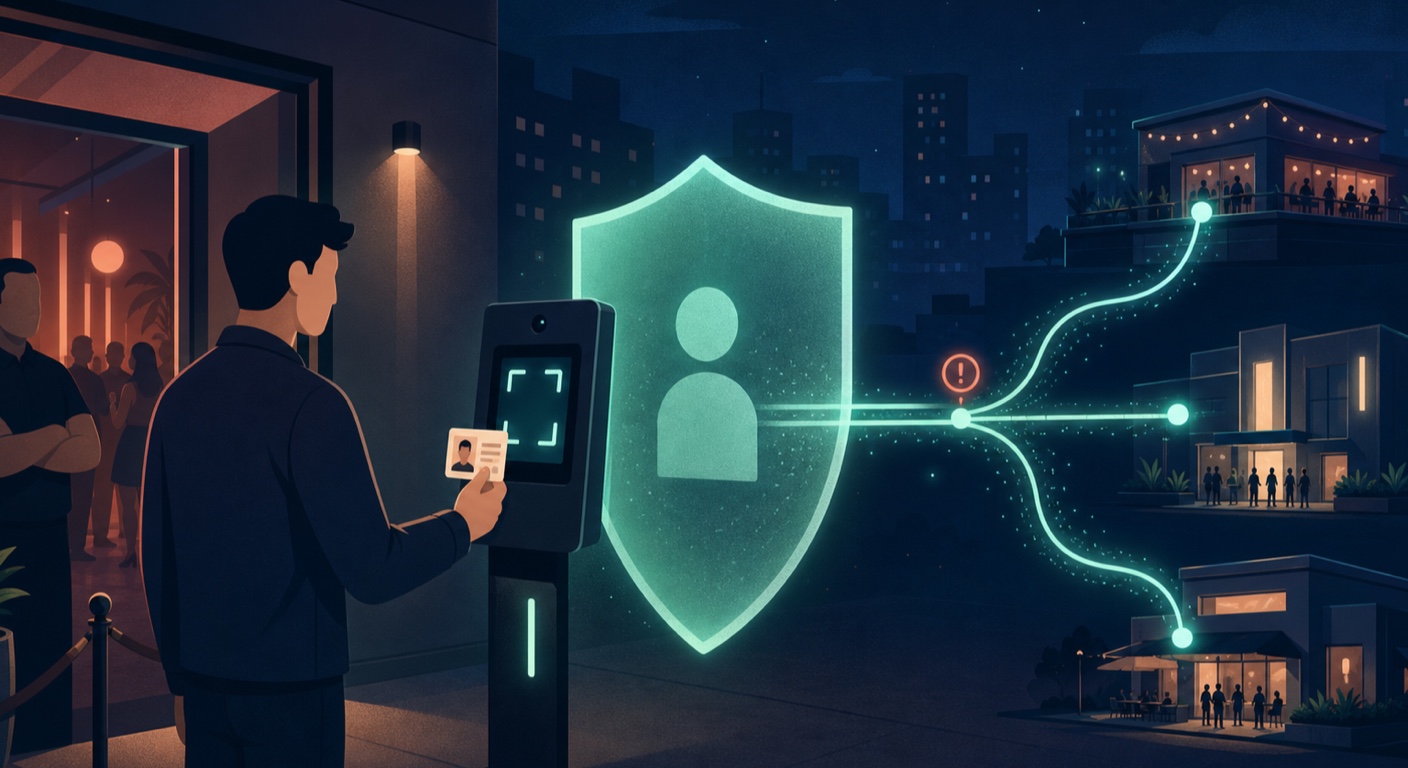
The San Francisco Chronicle reported on August 15, 2026 that The Mix Bar would stop using PatronScan to photograph patrons but would retain its ID-scan function for government-ID and age verification. The decision followed earlier pauses at Badlands and Toad Hall amid a boycott campaign and wider concern about privacy, accuracy, and surveillance in LGBTQ+ spaces.
That distinction matters. A camera taking an entry photo is verifiable from the product workflow and local reporting. Facial recognition is a more specific technical claim. Critics and several headlines use that term, while PatronScan says the North American system does not map or collect biometric facial geometry. This guide does not collapse those two statements into one.
Why careful wording protects readers
The strongest privacy case does not depend on overstating the technology. An ID scan, a face photo, a time-and-place record, and a shared flag can be sensitive even if no biometric face template is created.
What PatronScan says it may collect
PatronScan's privacy policy describes a flexible service whose data depends on the venue and enabled features. The policy also distinguishes situations where PatronScan processes information for a customer from situations where it acts as a controller. That means the venue's notice and configuration are part of the answer, not an afterthought.
Data categories named in the policy
- ID fields such as name, date of birth, document number, expiration date, document type, jurisdiction, and potentially address information.
- Images of the front or back of an identity document and, where configured, a facial image used with comparison features.
- Authentication and age-check results, plus the date, time, venue, location, and entry or denial decision.
- Flags, bans, and incident records created by participating venues.
Collection is not the same at every door
A policy describes what may be processed across a product, not proof that every listed field is stored in every visit. Ask the venue which functions are active, whether the camera is enabled, how long each category is retained, and whether the venue participates in a shared flag network.
Why the shared-network design worries advocates
PatronScan markets a Flag Network that can alert connected venues when a patron has been flagged. A shared warning may help staff respond to violence, theft, or harassment, but it can also magnify a mistaken, vague, retaliatory, or poorly documented decision beyond the venue where it began.
Questions a responsible deployment should answer
- What conduct can create a flag, who is authorized to add one, and what evidence is required?
- Is a flag private to one venue or visible to other venues, and for how long?
- Can a patron obtain the record, see the reason, correct an error, and appeal before it spreads?
- Are entry photos, ID fields, and incident notes separated, minimized, encrypted, and deleted on different schedules?
Safety and privacy are both real requirements
The Chronicle reported that The Mix adopted the technology after a staff member was assaulted, and management defended its safety value. That context deserves to be included. It does not eliminate the need for narrow collection, visible notice, access controls, short retention, audit logs, and a fair dispute process.
What is confirmed, disputed, or venue-specific
| Claim | Current status | What the evidence supports |
|---|---|---|
| IDs are scanned | Confirmed | The product reads identity documents to verify age and authenticity. |
| Entry photos are taken | Confirmed for the reported setup | Local reporting and the product workflow describe a digital photograph at entry. |
| Facial recognition is used | Disputed | Critics use the label; PatronScan denies biometric facial-geometry mapping in North America. |
| All personal data is shared with every venue | Not established | The network shares flag information, but the scope depends on the record, settings, and policy. |
Four questions to ask before you hand over an ID
A notice posted beside a busy door is not always meaningful choice. Still, a few precise questions can reveal whether the venue is performing a limited age check or creating a richer record.
Is this only an age check?
Ask whether the system stores the ID image or extracted fields after verification. A visual check, a barcode read, document authentication, and long-term storage are separate operations.
Is the camera on, and what happens to the photo?
Ask whether a photo is required, whether it is compared to the ID, whether any biometric template is created, and when the image is deleted. If the answer is unclear, decide whether another venue offers a privacy-respecting alternative.
Can a flag follow me to other venues?
Ask whether the venue participates in a networked list, which categories are shared, and how to challenge a mistake. PatronScan's published policies describe disclosure requests and a flag-dispute route.
What privacy rights can I exercise?
The California Attorney General's CCPA guide explains rights that may include notice, knowledge, deletion, correction, opt-out, limitation, and non-discrimination. Coverage and exceptions vary, so use the designated request methods in the relevant privacy policy rather than assuming every request must be granted.
A VPN protects the connection, not the doorway
Free VPN US can encrypt supported network traffic on venue Wi-Fi and make websites see the VPN server's IP address instead of your connection's public IP. It cannot stop a bouncer from scanning a physical ID, disable a venue camera, erase an entry photo, or reverse a flag. Those risks require data minimization, clear policy, and enforceable access and deletion controls.
What to do if your ID or photo was already collected
- Record the basics. Note the venue, date, approximate time, device notice, and what staff told you. Do not photograph other patrons or interfere with staff.
- Read both privacy notices. Check the venue's policy and PatronScan's current policy for retention, sharing, request methods, and the role each party claims to play.
- Send a focused request. Ask for the categories and specific pieces held about you, sources, purposes, recipients, retention periods, and any flag or incident entry. Request deletion or correction where applicable.
- Challenge errors in writing. If you were denied entry or believe a flag is inaccurate, use the provider's dispute channel and the venue's management contact. Keep copies of the request and response.
This is general privacy information, not legal advice. The best immediate protection is informed choice at collection time; the best follow-up is a precise written request tied to the venue, date, and record you want reviewed.
Frequently asked questions
Does PatronScan use facial recognition at bars?
PatronScan says its North American product does not map or collect biometric facial geometry. Its privacy policy nevertheless says facial images may be collected where a customer enables facial-comparison features. The verified baseline is that the system scans IDs and can take entry photos; whether the deployment should be called facial recognition remains disputed.
What information can a bar ID scanner collect?
Depending on the setup, PatronScan says it may process ID details, images of the ID, an entry photo, time and venue information, verification results, and flags or incident records. The venue configuration and applicable privacy notice determine which fields are actually used.
Can a VPN stop a venue from scanning my ID or taking my photo?
No. A VPN protects supported internet traffic between your device and the VPN server. It cannot block a camera, stop a physical ID scan, remove a venue flag, or delete information already submitted at the door.
How can I ask for my PatronScan data to be deleted or corrected?
Start with the privacy contacts and request methods listed by the venue and PatronScan. Ask what was collected, why it was used, who received it, how long it will be kept, and whether a flag exists. California residents may also have rights to know, delete, correct, opt out, or limit certain uses, subject to eligibility and exceptions.
Questions worth checking next
These distinctions help separate an age-verification claim from the broader privacy impact of the deployment.
Related privacy guides
Use Free VPN US on venue and public Wi-Fi
A VPN does not solve physical identity collection, but it can add an encrypted network layer when you use unfamiliar Wi-Fi. Combine it with careful permissions, strong account security, and informed choices at the door.
- Encrypted network tunnel
- Multiple VPN regions
- Built for Apple devices