Use Cape Town when a South Africa connection fits your browsing or app session. For another option in Africa, compare it with London and keep the route that works best for the task.
Africa / City / South Africa
Cape Town VPN regionA simple South Africa connection for iPhone.
Choose Cape Town when you want a South Africa-focused VPN connection for browsing, travel or everyday apps. Find it in the region list and connect in a few taps.
Guide typeCityDesigned aroundiPhoneAreaAfricaEditorial review8 Sep 2026
01
Why connect through Cape Town
Why choose Cape Town as your VPN region?
Selecting Cape Town routes supported traffic through the VPN and changes the public IP location seen by websites. It also encrypts the connection between your iPhone and the VPN endpoint, which is useful on shared Wi-Fi and while travelling.
Browse with a South Africa connection
Choose the Cape Town city label to use a public IP associated with the selected VPN route while it is connected.
Add privacy on shared Wi-Fi
Connect before using airport, hotel or café networks so supported traffic leaves the iPhone through an encrypted VPN connection.
Switch easily from London
Compare Cape Town with London without changing complicated device settings. Reconnect once and continue with the task you need.
02
How the connection works
From your iPhone.
Through one private route.
Choose Cape Town and supported traffic uses the encrypted VPN route before reaching the websites and apps you open. Destinations see the VPN connection’s public IP.
 Your iPhoneTap connect
 FREE VPN USEncrypted VPN route
 Cape TownSouth Africa connection
A simple view of the connection path from your iPhone through FREE VPN US.
03
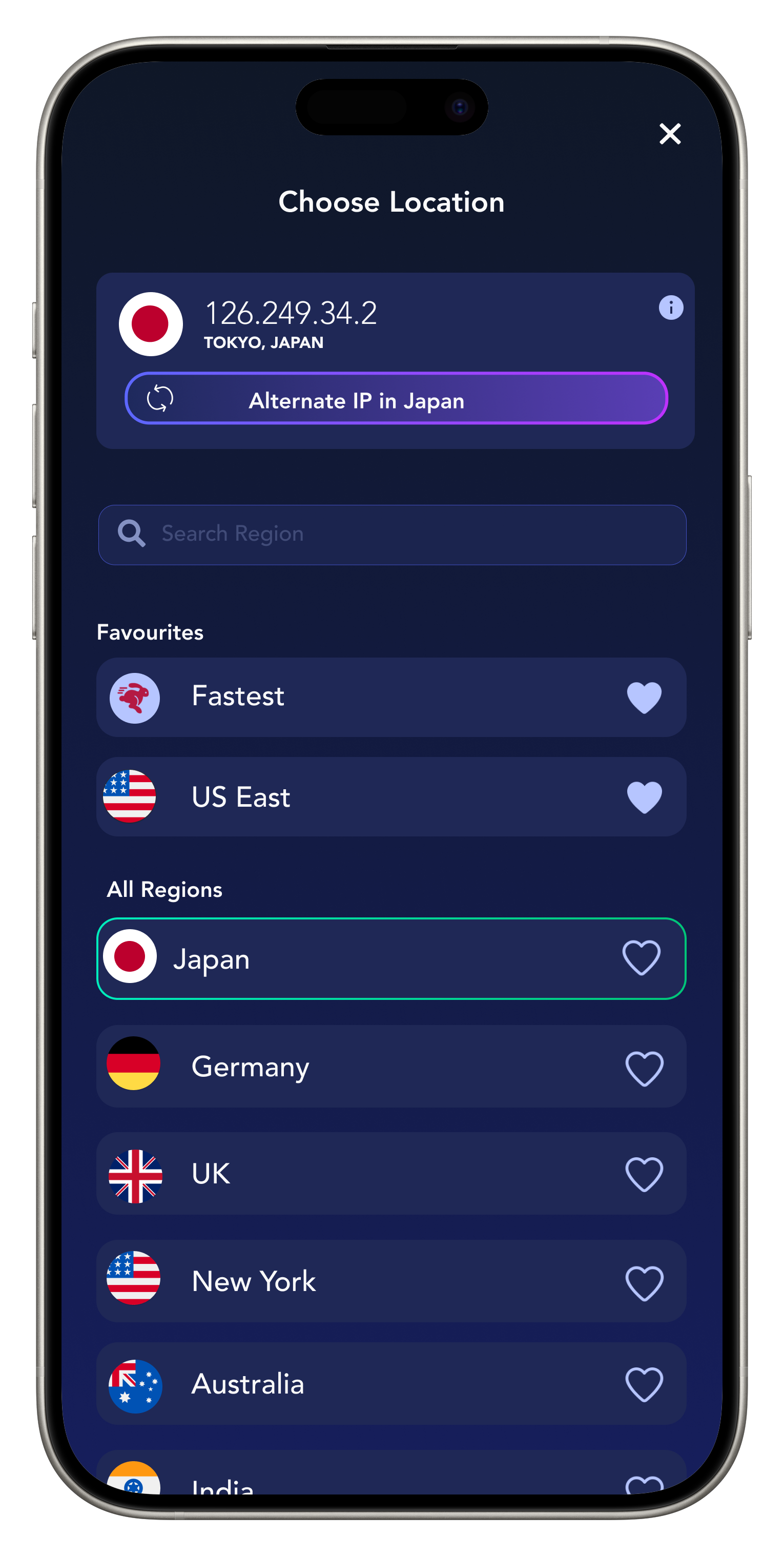
In the app
Real FREE VPN US interface.
Available entries can change.
Choose Cape Town.
Test the route.
- 01
Get FREE VPN US on iPhone
Install the app, open it and approve the standard Apple VPN configuration when prompted.
- 02
Select Cape Town in Regions
Open Regions, search for Cape Town, select the location and return to the home screen.
- 03
Connect and enjoy the route
Tap connect, wait for the connected status, then browse, call, stream or use your everyday apps with the Cape Town route active.
04
Why FREE VPN US
More privacy.
A South Africa connection.
What FREE VPN US brings
- A South Africa-focused public IP while the VPN route is active.
- Encrypted traffic between your iPhone and the VPN endpoint.
- Fast switching between Cape Town and other available Africa choices.
You stay in control
- Your iPhone’s GPS and app location permissions.
- Your residence, account country and payment details.
- The physical endpoint or city reported by every IP database.
Everyday ways to use it
Cape Town, in real-world routines.
These are representative use cases written by our editorial team, not attributed customer reviews.
See ratings and reviews on the App Store →“When I want a South Africa-focused connection, Cape Town is easy to find and quick to select on my iPhone.”
South Africa connection
Illustrative user scenario“I connect before using hotel or airport Wi-Fi, then continue with the apps and accounts I already use.”
Useful while travelling
Illustrative user scenario“Switching between Cape Town and London makes it simple to find the connection that feels best for the task.”
Easy route comparison
Illustrative user scenario05
Quick help when you need it
Keep the good route.
Fix the small friction.
Connect to Cape Town, try the task you came for and keep the route if it feels right. These quick checks cover the most common reasons to make an adjustment.
Finding Cape Town quickly
Open Regions and use search. If Cape Town is not currently listed, choose another option in Africa and check again after updating the app.
The route feels slower than expected
A route that loads text reliably may still be unsuitable for a high-bandwidth video call. Pause background downloads, then compare Cape Town with London.
A website shows a nearby place
Reconnect and check again. IP-location databases update at different times, so nearby city labels can occasionally differ while the VPN route is active.
Want a hand? Share the app version, selected label and exact error in our anonymous contact form.
Contact support →06
Quick answers before you connect
Cape Town.
The details that matter.
Everything you need to choose the preset or region with confidence.
How do I connect through Cape Town?
Open Regions in FREE VPN US, search for Cape Town, choose the location, return to the home screen and tap connect. Wait for the connected status before opening your next app.
Why choose the Cape Town VPN region?
It gives you a South Africa-focused VPN route, changes the public IP location seen by websites using the connection and adds encryption between your iPhone and the VPN endpoint.
Is Cape Town useful on hotel or airport Wi-Fi?
Yes. Complete the network sign-in page first, then connect FREE VPN US before browsing or opening your usual apps on the shared network.
Should I compare Cape Town with London?
Yes. If both are available, try the same task on Cape Town and London, then keep the route that feels more responsive for your session.
FREE VPN US is independent of the services named. Brand marks identify a guide and do not imply endorsement, guaranteed compatibility or current availability.