USA VPN for iPhone: US Servers and Easy Setup

Connect to a US VPN server in one tap, get a US IP address, and add encrypted protection on public Wi-Fi. Server availability and access to third-party services can change.

  • Privacy-first iPhone VPN
  • Public Wi-Fi protection
  • Useful while traveling
  • Fast connect in one tap
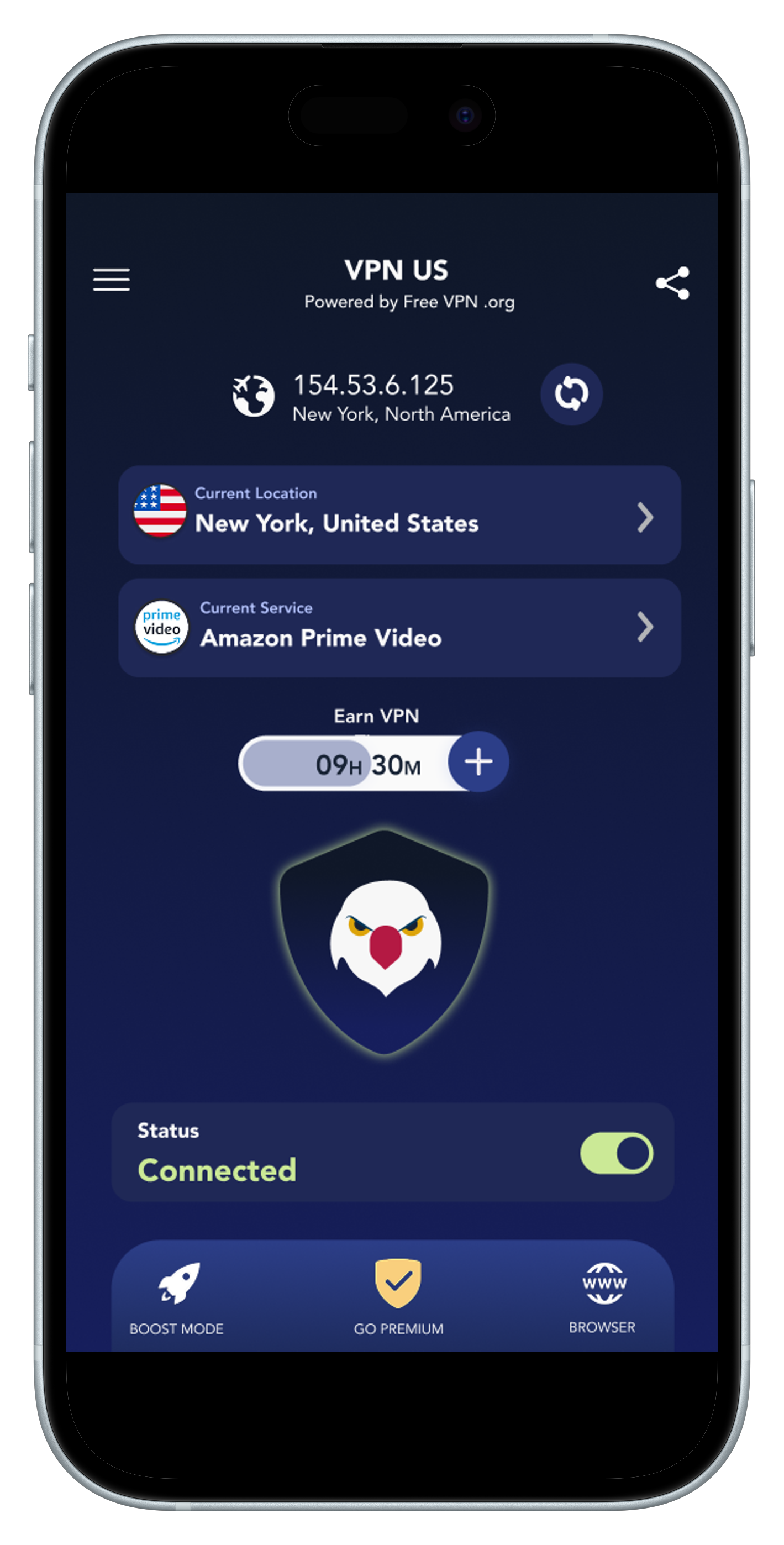
USA VPN for iPhone app screen with secure VPN iOS connection
Why It Matters

Why You Need a USA VPN for iPhone

Protect Traffic on Public Wi-Fi

Encrypt your traffic in cafes, airports, and hotels to reduce interception risk.

  • Encrypted VPN tunnel
  • HTTPS and site checks still matter

Reduce IP-Based Tracking

Mask your visible IP address. Your ISP can still see that you use a VPN, connection timing, and data volume.

  • Less tracking noise
  • Better daily privacy

Use a US Server While Traveling

Get a US IP address for services you already use. Access still depends on the service’s policies and availability.

  • US server choices
  • Compare available routes

US VPN Benefits for iPhone

Tap-friendly cards for faster scanning and quick decisions.

Encrypt Your Data

Protect traffic with strong encryption on iOS networks.

Mask Real IP

Hide your IP address and reduce profile-based tracking.

Get a US IP Address

Connect to an available US location while traveling. Third-party access is not guaranteed.

Choose a Suitable Route

Compare nearby server choices when you need better browsing performance.

Feature Highlights

Secure VPN iOS Features Built for Daily Use

Strong Encryption

Protect your traffic with secure protocols and encrypted routing.

No-Logs Privacy Approach

Designed to minimize data exposure and keep controls transparent.

USA Server Network

Pick from available US locations and compare connection performance.

Easy iOS Setup

Install, allow VPN configuration, and connect in seconds.

Free and Premium

Choose the Access Level That Fits

Free access

FREE VPN US

Core VPN protection with one-tap connect and simple setup.

  • Essential USA server options
  • Public Wi-Fi encryption
  • Easy iOS experience
Get USA IP on iPhone
Premium access

FREE VPN US Premium

Expanded performance and region flexibility for heavy use.

  • More region flexibility
  • More global server choices
  • Additional performance controls
Get USA IP on iPhone
How It Works

Get a USA VPN for iPhone in 3 Steps

1

Install from App Store

Download FREE VPN US and open the app on iPhone.

2

Choose a USA Server

Select your preferred US location in the server list.

3

Connect and Browse

Tap connect and confirm that the VPN tunnel is active.

USA VPN for iPhone FAQs

Quick answers before you install.

To get a US IP on iPhone, download the Free VPN US app from the App Store, allow the VPN configuration, and select a United States region. Tap connect to instantly mask your real location with a secure US IP address.

Changing your iPhone location to the US is easy with Free VPN US. Once the app is installed and the VPN profile is active, simply select any US region from the server list and tap connect. Your visible IP address will change to that US location immediately.

FREE VPN US offers essential servers and core VPN protection without requiring an account. The app uses AES-256 encryption and supports one-tap connection on iPhone and iPad. Optional Premium access adds more global servers and controls.

A VPN can encrypt traffic between your iPhone and the VPN server and reduce local network snooping. It cannot make every website trustworthy, stop phishing, or remove every privacy risk. Review the privacy policy before connecting.

Setting up a VPN for iPhone USA is simple: Download FREE VPN US from the App Store, allow the iOS VPN configuration, and select a USA server to connect instantly.

Start with a nearby US server, compare performance, and switch if the connection is slow. A server choice does not guarantee access to a third-party service.

A VPN for iPhone USA secures your data on public networks, blocks unwanted tracking, and allows you to access US-specific services while traveling. It's a must-have for maintaining privacy on your mobile device.

Yes! Just download Free VPN US, tap connect, and your iPhone is instantly protected with a secure USA IP address.

The app uses AES-256 encryption for traffic between your iPhone and the VPN server. Your ISP can still see that you are using a VPN and observe connection timing and data volume, but not the destinations inside the encrypted tunnel. A VPN does not protect information you submit to a phishing site.

Yes, FREE VPN US offers a free-tier service with secure USA servers, allowing you to protect your iPhone traffic without a paid subscription. Download free iPhone VPN now to get started.

Yes in most regions. Always use a VPN for lawful activities and follow local rules.

A good iPhone VPN keeps speed high. Choose the closest USA server for better performance.

Many people use a US streaming VPN for that use case. Availability depends on platform policies.
Independent source

Check Current App Store Information

See current ratings, written reviews, compatibility, and in-app purchase information directly from Apple.

Open the App Store listing

The App Store listing identifies support for iPhone, iPad, and Mac. Check the listing for current OS requirements.

Source: Apple App Store
  • Essential free and Premium servers
  • Built for iPhone
  • Support via Contact
Download the App - Free