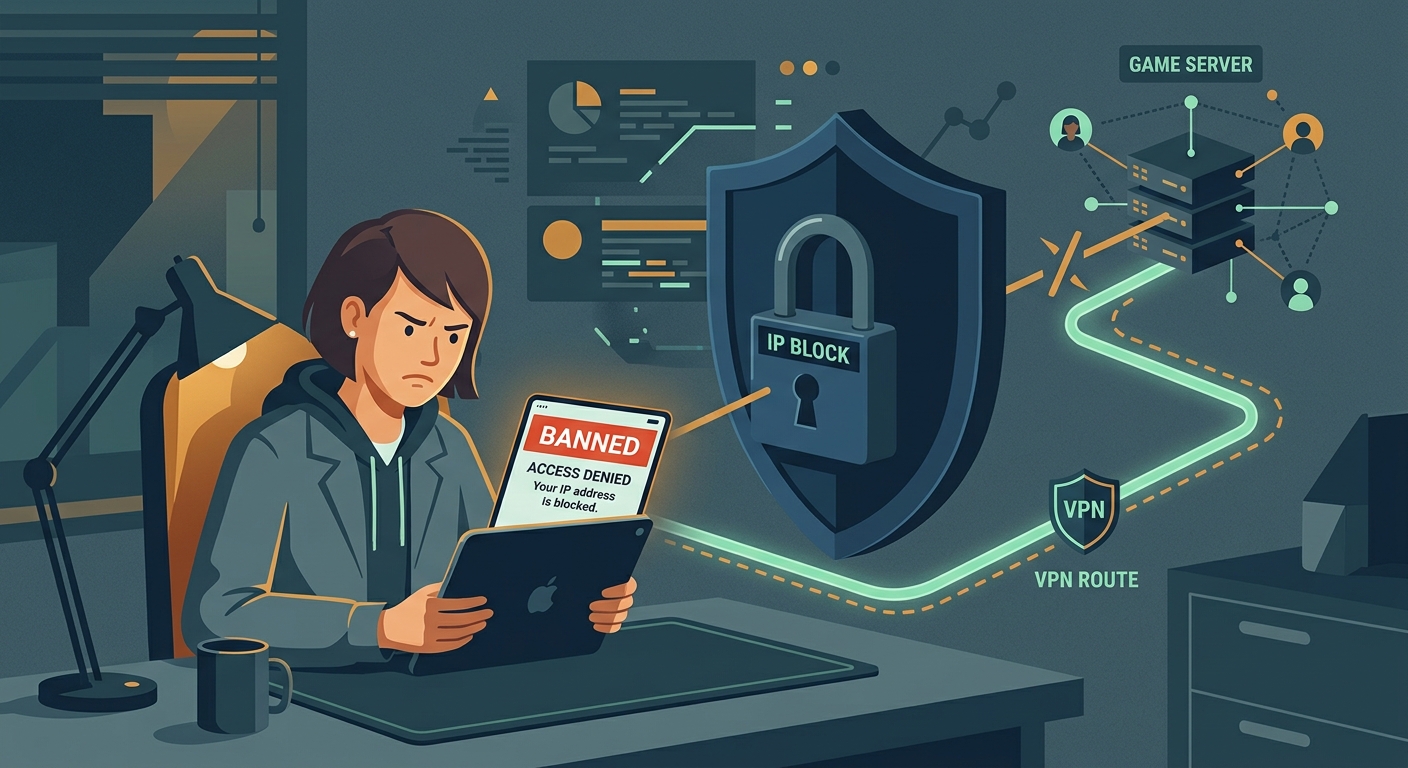
The Situation: What Exactly is an IP Ban?
When game developers want to punish a player, they have three main ways to lock them out. Understanding the difference is critical because the fix for an IP ban won't work for an account ban.
1. The Account Ban
An account ban is tied directly to your username and profile. If you get caught cheating, exploiting, or being highly toxic, the developers will suspend or permanently terminate your specific account.
2. The Hardware Ban (Device Ban)
A hardware ban targets your physical device. The game servers identify your iPhone, iPad, or Mac by its unique hardware identifiers (like the MAC address or device ID) and block that specific piece of hardware from ever connecting to their servers—regardless of what account or network you use.
3. The IP Ban
An IP ban targets your internet connection, not your account or your device. Every time you connect to the internet, your network is assigned an IP (Internet Protocol) address. It acts like a digital street address. When game developers issue an IP ban, they’re telling their servers: “Do not allow any traffic coming from this specific address.”
Why It Happens: How Innocent Players Get Banned
If you didn't cheat, why did your IP address get banned? It usually comes down to how modern internet networks operate and how aggressive mobile game anti-cheat systems have become.
The Problem with Shared Wi-Fi (Dorms, Cafes, and Schools)
This is the most common reason for an unfair IP ban. If you live in a college dorm, use a shared apartment network, or play on public Wi-Fi at a coffee shop, you’re sharing a single public IP address with dozens or hundreds of other people.
If just one person on that network decides to download an aimbot for Call of Duty: Mobile or a script for Roblox, the game’s anti-cheat system will detect it. To protect the game, the server will often ban the IP address the cheating originated from. Because you share that exact same IP, you get locked out too. You’re being punished for your neighbor's bad behavior.
Dynamic IP Address Recycling
Most residential internet service providers (ISPs) don't give you a permanent IP address. They use "Dynamic IPs," meaning your address changes periodically. Your ISP has a pool of addresses, and they recycle them among customers.
Occasionally, your router might restart and get assigned an IP address that was previously used by someone who got banned from a game. Without doing anything wrong, you inherit their digital baggage and the restrictions attached to it.
Glitches and False Positives
Automated anti-cheat systems are aggressive. Sometimes, they trigger false positives due to network instability, packet loss, or background apps on your Mac or iPhone that the game incorrectly flags as suspicious. When the system panics, it issues an automatic IP ban as a safety measure.
The iOS and Mac Gaming Ecosystem: A Unique Challenge
Mobile gaming on Apple devices is massive, and with the integration of Apple Silicon (M1, M2, M3 chips), many users are playing mobile titles directly on their MacBooks. This creates a unified ecosystem, but it also means network restrictions follow you across devices.
Why iCloud Private Relay Isn't Enough
If you use an iPhone or Mac, you might be familiar with Apple’s iCloud Private Relay. While this feature is great for masking your IP address from websites in the Safari browser, it is not a VPN and it does not protect your gaming traffic.
Private Relay only encrypts DNS requests and Safari web traffic. It does not route the data from your installed apps or games through a secure tunnel. If your network's IP is banned in Roblox or Genshin Impact, turning on Private Relay will do absolutely nothing to get you back in. You need a tool that routes all device traffic, including gaming data.
What to Do: How to Bypass an IP Ban
The solution to an unfair IP ban is straightforward: you need to change your digital street address. By masking your real IP and replacing it with a new one, the game servers will treat you like a brand-new connection and let you back in.
Here is the step-by-step process to bypass an IP ban on your iPhone, iPad, or Mac.
Step 1: Verify It Is Actually an IP Ban
Before you try to fix the network, make sure the network is actually the problem.
If the game loads perfectly on cellular data but blocks you on Wi-Fi, you've confirmed it’s an IP ban. If you are still blocked on cellular data, you may be dealing with an account or hardware ban.
Step 2: Use a VPN to Mask Your IP Address
A Virtual Private Network (VPN) is the most reliable way to bypass network-level restrictions. When you connect to a VPN, your internet traffic is encrypted and routed through a remote server. The game no longer sees the banned IP address of your dorm or home network; it only sees the clean IP address of the VPN server.
Step 3: Choose the Right Server
When bypassing a ban in a mobile game, latency (ping) matters. You don't want to connect to a server on the other side of the world, or your game will lag heavily.
Free VPN US makes this easy. Instead of just offering random servers, it features a dedicated Service Selector. If you play supported games like Roblox, Clash Royale, Pokemon Go, or Brawl Stars, you can select the game directly. The app dynamically filters the regions list to show only the specific, tested servers and IPs known to work and reliably bypass bans for that exact game.
Step 4: Relaunch the Game
Force-close the game completely (don't just minimize it). Swipe it away in your iOS app switcher, or fully quit the application on your Mac. With the VPN connected, launch the game again. The server will read your new VPN-provided IP address, see that it is not on the ban list, and grant you access.
Game-Specific IP Ban Scenarios
Different games handle network restrictions in different ways. Here is what to expect from some of the most popular titles on iOS and Mac.
Roblox
Roblox is notorious for IP bans, often throwing an "Error Code 268" or stating that your unexpected client behavior has resulted in a kick. Because Roblox is incredibly popular on shared school and library networks, collateral damage is extremely common. A VPN easily bypasses this by giving you a fresh, unflagged connection.
Call of Duty: Mobile & PUBG Mobile
Competitive shooters rely heavily on automated anti-cheat systems. They often deploy IP bans against networks where they detect repeated use of aimbots or wallhacks. If you’re playing on a college campus, getting caught in a blanket IP ban is highly likely. Using a VPN not only bypasses the ban but also encrypts your connection, preventing local network admins from throttling your gaming traffic.
Genshin Impact
While less focused on competitive cheating, Genshin Impact will occasionally issue IP bans if it detects suspicious login behavior, such as multiple failed login attempts from the same network (which can happen on large public Wi-Fi networks). Routing your connection through a VPN resolves this instantly.
Follow-Up Questions (FAQs)
Everything else you need to know about IP bans and mobile gaming.
Related Articles


Bypass IP Bans Instantly
Download Free VPN US to change your IP address and access your games safely.
- Fast speeds for low ping
- Bypass unfair IP bans
- Secure and private