
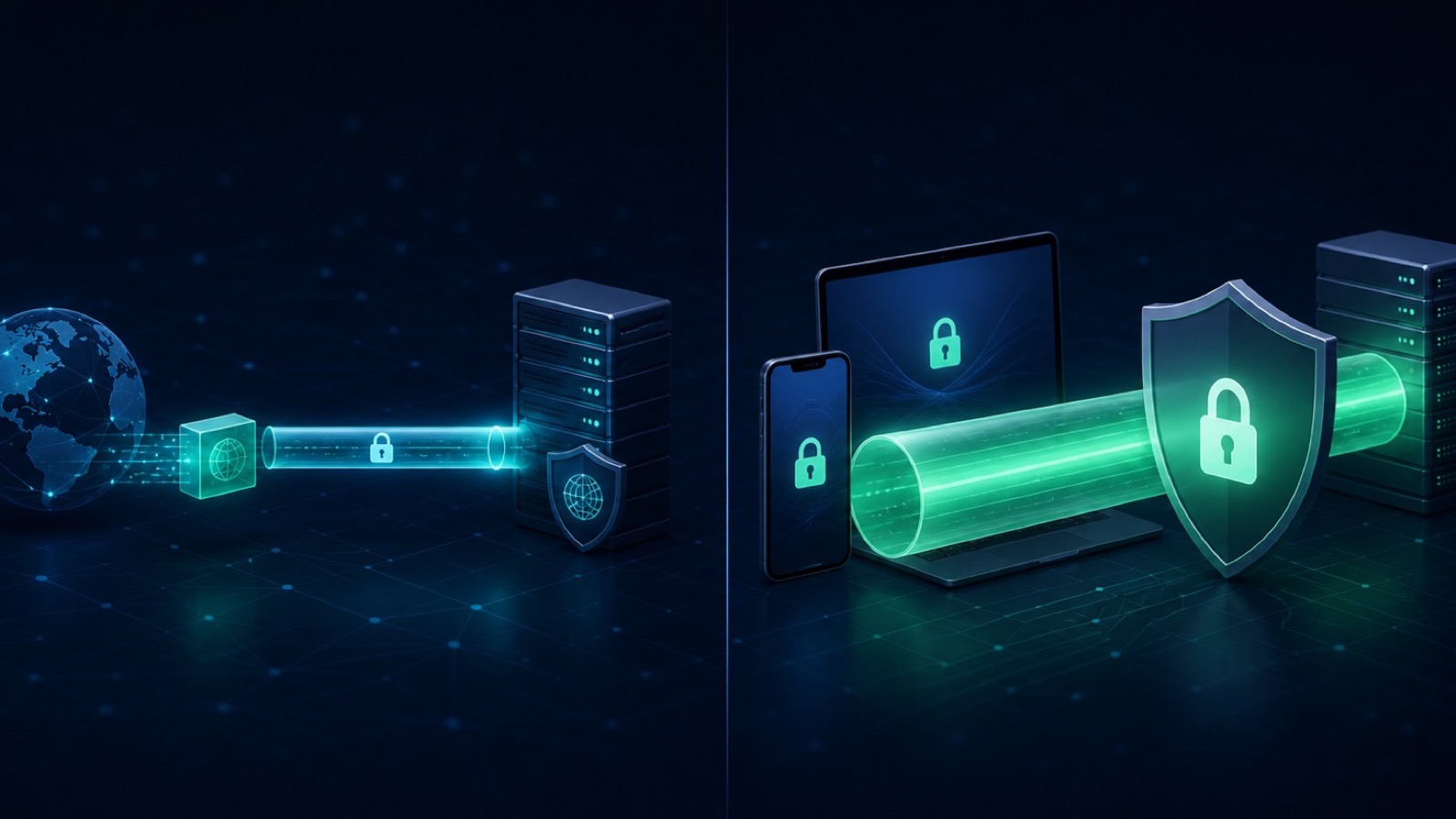
DNS lookups are only one part of a connection
Before an app connects to a service, DNS usually translates a domain name into an IP address. Traditional DNS may expose that lookup to the local network or ISP. DNS over HTTPS sends the lookup to a compatible resolver over an encrypted HTTPS connection.
The website connection that follows is separate. DoH does not change your public IP and does not automatically protect traffic from every app. Mozilla's official DoH explanation also notes trade-offs involving filtering, parental controls, enterprise networks, and resolver trust.
Encryption moves trust; it does not remove it
With DoH, the selected resolver can receive DNS queries. With a VPN, the VPN provider handles the tunnel and commonly its DNS. Choose services whose privacy practices you understand.
What DNS over HTTPS does
DoH is a focused privacy control. It is especially useful when a browser would otherwise send readable DNS queries over an untrusted network.
DoH strengths
- Encrypts domain-name lookups to a compatible resolver.
- Reduces ordinary DNS visibility for the local network and ISP.
- Can be enabled in supporting browsers without routing all device traffic.
- May work with Encrypted Client Hello to reduce additional hostname exposure in supporting setups.
DoH limits
The resolver can still receive queries, destination IP addresses may remain visible on the network path, and browser-level DoH may not cover other apps. It can also bypass local filtering or fail on managed and captive-portal networks.
What a VPN does
A VPN creates an encrypted tunnel from the device to a VPN server for traffic the operating system routes through it. Sites then see the VPN server's public IP rather than the original network IP.
VPN strengths
- Protects more than browser DNS when traffic is routed through the tunnel.
- Reduces local-network visibility into destinations and traffic metadata.
- Changes the public IP address seen by websites and services.
- Provides one repeatable protection layer across unfamiliar networks.
VPN limits
A VPN provider becomes part of the trust path. A VPN does not stop cookies, account tracking, fingerprinting, phishing, or malware, and some apps or system features may bypass or interrupt a tunnel.
DoH, VPN, or both?
| Goal | Best fit | Important caveat |
|---|---|---|
| Encrypt browser DNS | DoH | The chosen resolver still receives queries. |
| Protect broader device traffic | VPN | Only traffic routed through the tunnel is covered. |
| Use public Wi-Fi | VPN first | Complete a captive portal before connecting if required. |
| Run both | Test the result | Browser DoH may override the VPN's DNS choice. |
Choose based on the actual privacy goal
The right control depends on what is exposed and which software owns the connection.
You only want to encrypt Firefox DNS queries
DoH may be enough for that narrow goal. Confirm the protection level and resolver in Firefox settings, and remember that other apps are outside a browser-only configuration.
You are using airport Wi-Fi
Complete the portal, then connect the VPN before opening sensitive apps. DoH alone does not tunnel the rest of the device's traffic.
A work or school service stops resolving
The network may depend on private DNS or filtering. Return DoH to its default mode or follow the organization's policy instead of forcing a custom resolver.
A DNS test shows an unexpected resolver
Reconnect the VPN, close and reopen the browser, check custom DNS settings, and retest. An unexpected resolver is a configuration clue, not proof that all traffic is exposed.
Scope is the key distinction
DoH protects a lookup. A VPN protects a routed path. Neither replaces browser privacy controls or safe account behavior.
Configure without creating a DNS conflict
- Set a baseline. Run a DNS test before changing settings and note the resolver shown.
- Connect the VPN. Confirm the tunnel is active before opening the browser or app you want to test.
- Check DoH behavior. Use the browser's default protection first; avoid forcing a custom resolver unless you need it.
- Retest. Confirm the expected public IP and DNS resolver, then check again after changing networks.
If a setting breaks captive portals, parental controls, or internal services, return to the default and change one layer at a time.
DNS over HTTPS versus VPN FAQ
Does DNS over HTTPS hide my IP address?
No. DoH encrypts DNS lookups to a resolver, but websites and network destinations can still see the public IP used for the later connection. A VPN changes the public IP seen by destinations while connected.
Does a VPN automatically prevent DNS leaks?
A well-configured VPN normally sends DNS through its tunnel, but configuration conflicts, browser settings, or connection failures can produce unexpected results. Test the resolver after connecting.
Should I enable browser DoH while using a VPN?
It may work, but it can send browser DNS to a resolver different from the VPN's choice. Start with defaults, check the VPN documentation, and verify the result with a DNS test.
Can DoH or a VPN stop tracking cookies?
No. These controls protect network information, not cookies, logged-in account activity, browser storage, or all fingerprinting. Use browser privacy controls as a separate layer.
Questions worth checking next
These answers help diagnose the most common DNS and VPN mix-ups.
Related privacy guides


Add a private network layer with Free VPN US
Free VPN US encrypts supported device traffic between your iPhone or Mac and the VPN server. It is useful on networks you do not control, but it does not replace account security, careful link checking, or trusted apps.
- Encrypted traffic on supported iPhone and Mac connections
- A different public IP address while the VPN is connected
- Simple protection for everyday and travel networks