
Verify microphone permissions and compare a short call on Wi-Fi and mobile data. If texts work on both but calls fail on one network, note that difference. A VPN connection does not change the phone number associated with the account.
Open WhatsApp help when you need it ↗Service guide / Social
WhatsApp VPN guideStart in the app
Looking to use WhatsApp? Get FREE VPN US, find the service in the app, and follow the connection steps. Contact us if you need setup help.
Guide typeService guideDesigned aroundiPhoneCategorySocialEditorial review2026-11-10
01
Why this preset helps
Connect for WhatsApp
Open Services in FREE VPN US and choose WhatsApp, then connect. Once connected, open WhatsApp and sign in with your usual account if needed.
What should I check if WhatsApp messages work but calls fail?
Verify microphone permissions and compare a short call on Wi-Fi and mobile data. If texts work on both but calls fail on one network, note that difference. A VPN connection does not change the phone number associated with the account.
02
How the connection works
From your iPhone.
Through one private route.
Supported traffic passes through the encrypted connection before reaching the destination. Open Services, pick WhatsApp and connect before opening the service.
 Your iPhoneTap connect
 FREE VPN USEncrypted VPN route
 WhatsAppOptimized service choice
A simple view of the connection path from your iPhone through FREE VPN US.
03
In the app
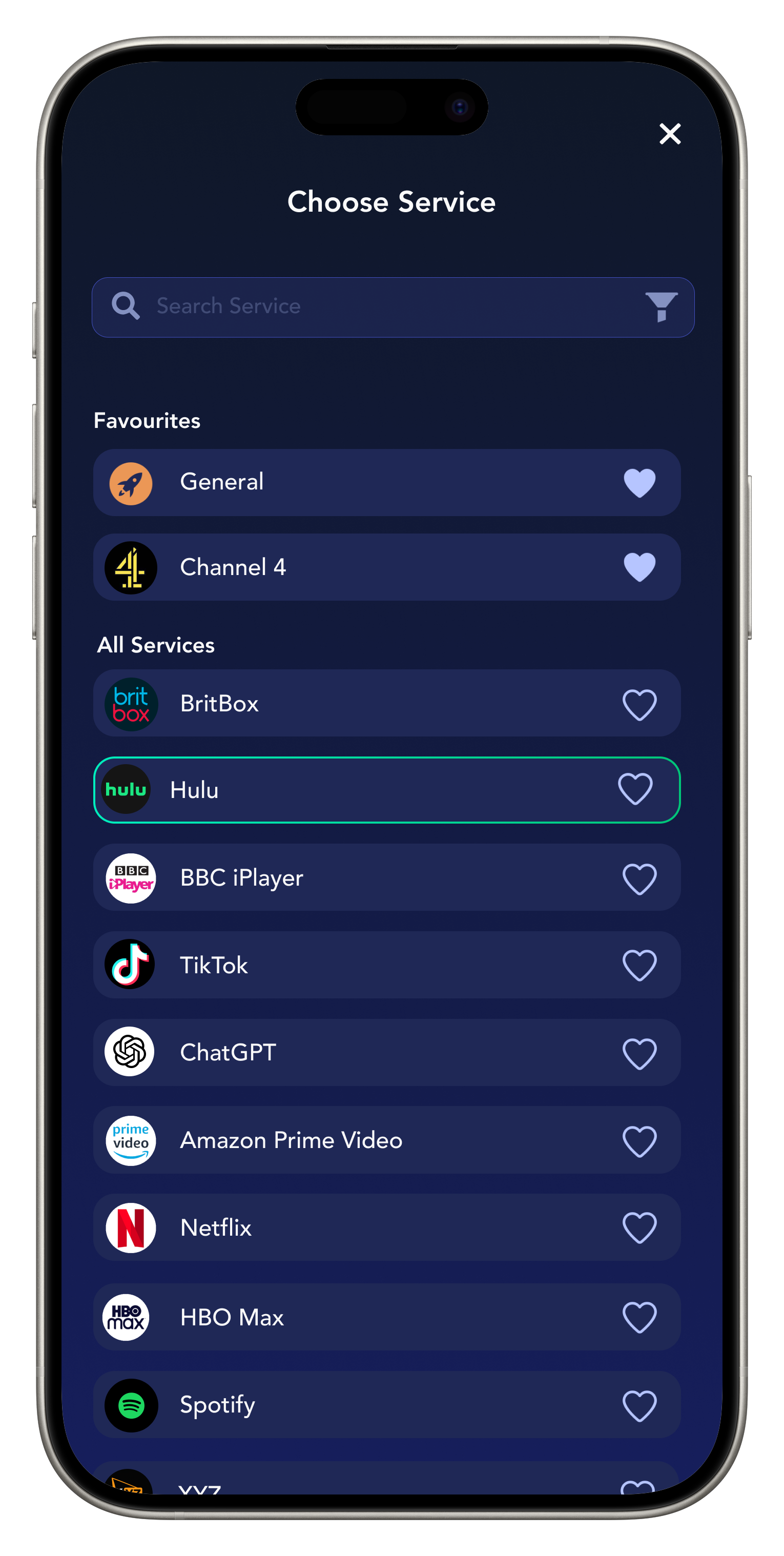
Real FREE VPN US interface.
Available entries can change.
From Services
to WhatsApp.
- 01
Download FREE VPN US
Install the iPhone app and approve the VPN configuration when prompted.
- 02
Choose the service and connect
Open Services in FREE VPN US and choose WhatsApp, then connect.
- 03
Open WhatsApp
Once connected, open WhatsApp and sign in with your usual account if needed.
04
Why FREE VPN US
A smarter start for WhatsApp.
What FREE VPN US brings
- An optimized VPN route selected around WhatsApp.
- Encrypted traffic between your iPhone and the VPN endpoint.
- A quick service-first setup with manual region control still available.
You stay in control
- Your service account, subscription and device settings stay in your control.
05
Quick help when you need it
Keep the good route.
Fix the small friction.
Start with the provider’s message, then compare a simple network check.
Get help from our team
If you get a location, playback or connection message, reconnect in FREE VPN US and reopen the service. Our team checks service connections. If it persists, send us the exact message, your device and the selected service.
Want a hand? Share the app version, selected label and exact error in our anonymous contact form.
Contact support →06
Quick answers before you connect
WhatsApp.
The details that matter.
Everything you need to choose the preset or region with confidence.
How do I set up FREE VPN US for WhatsApp?
Open Services in FREE VPN US and choose WhatsApp, then connect. Once connected, open WhatsApp and sign in with your usual account if needed.
What should I check if WhatsApp messages work but calls fail?
Verify microphone permissions and compare a short call on Wi-Fi and mobile data. If texts work on both but calls fail on one network, note that difference. A VPN connection does not change the phone number associated with the account.
What if WhatsApp is not loading?
If you get a location, playback or connection message, reconnect in FREE VPN US and reopen the service. Our team checks service connections. If it persists, send us the exact message, your device and the selected service.

Snapchat
Choose the Snapchat preset to scroll, share and call through a private, service-focused connection on iPhone.
Social↗
CapCut
Choose the CapCut preset to scroll, share and call through a private, service-focused connection on iPhone.
Social↗
TikTok
Choose the TikTok preset to scroll, share and call through a private, service-focused connection on iPhone.
Social↗A question, request or connection issue?
Use the Help Guide or send an anonymous support message.
FREE VPN US is independent of the services named. Brand marks identify a guide and do not imply endorsement, guaranteed compatibility or current availability.